“Thank
you, thank you, thank you!!!!! I love your software! You've simplified my job
by 300% and have allowed me to make people happy by scheduling around their schedules.”
|
|  |
| SmartRoster
Reports
Continue
tour >> The
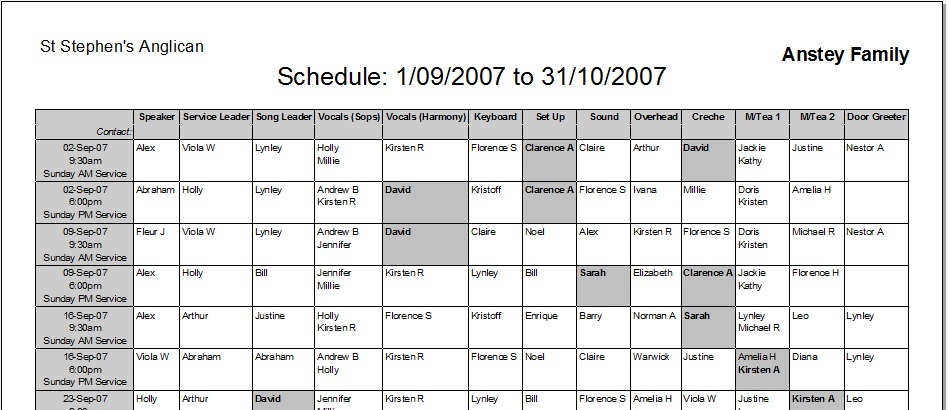
most important report generated by SmartRoster is the Master Schedule (see below).
This is the report you will probably want to hand out to your people. SmartRoster
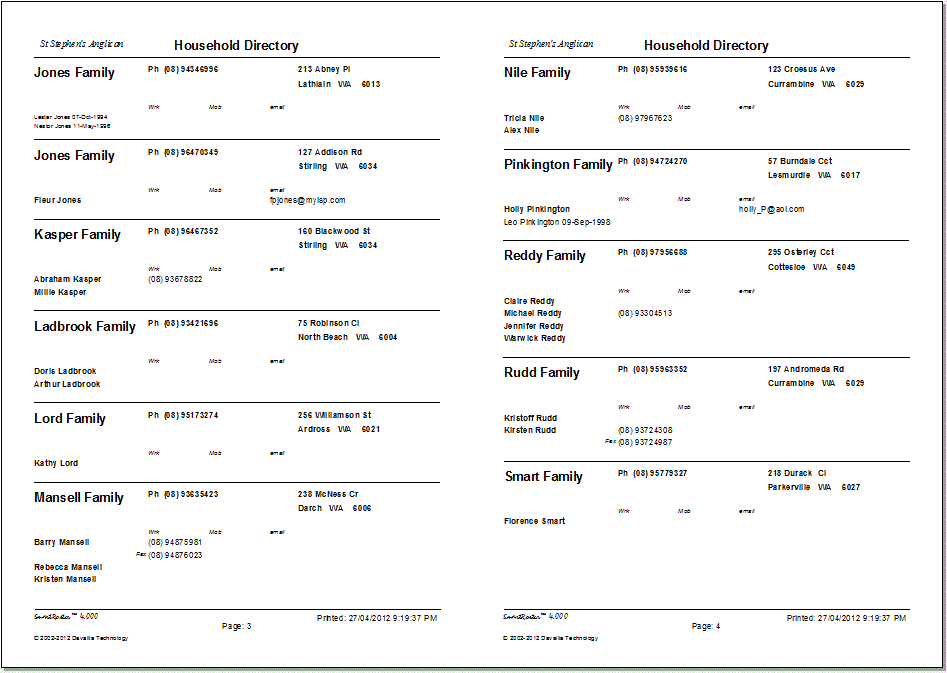
also generates Address Book reports that you can use in your organization, and
has many other reports, such as address labels, reminder labels, Role-member lists
(sometimes called Rosters), Role and event distribution, Attendance, absences,
and Personnel inventory. This
report shows the master schedule for one household with personalized shading of
each person in that household. You can also generate a personalized report which
only has the specific roles a person is serving in. Another useful report is the
Event report which shows each event occurrence (eg each service) on a single page
with all roles required and the names of those serving in those roles.
This
example shows the address book format. This can also be printed with pages automatically
collated for booklet style printing.
SmartRoster
Viewer
The
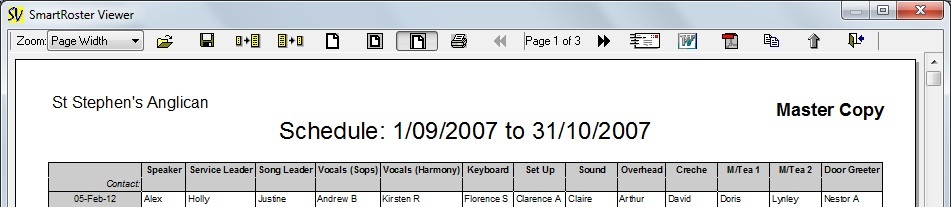
SmartRoster Viewer is the program that allows you to preview and print reports.
The viewer can be freely distributed to anyone needing to view a SmartRoster report.
You can also save reports
to the SmartRoster Print Document format (*.srp) or individual pages can be saved
in Windows Metafile format (which can be inserted directly into MS Word and some
graphics programs). Alternately,
all reports can be easily converted to Adobe PDF format, for which the Adobe Acrobat
viewer is required. This can be downloaded from the Adobe web site. Finally
you can also export a schedule directly into MS Word®, which allows you to
then edit the report before printing it. |